Prepare clinical letters. Organise appointments. Support billing.
I work quietly alongside your team, following your templates and practice rules. I use the available patient context, ask when something is missing, and prepare the next steps. Your team reviews and stays in control.
I support your team before, during and after the visit.
01
Before the visit
Known details guide the medical history and preparation. I ask only for what is missing or unclear.
Patients can add details, upload documents or talk with me, at home or on site.
I prepare a briefing and highlight unresolved questions for the team.
02
During the conversation
Record the normal conversation and add dictation, notes or files when needed.
I create documents using your templates, languages and quality-management guidance, for example physician letters or meeting notes.
You can add to and correct results. I use confirmed changes in my subsequent work.
03
Organise the team’s day
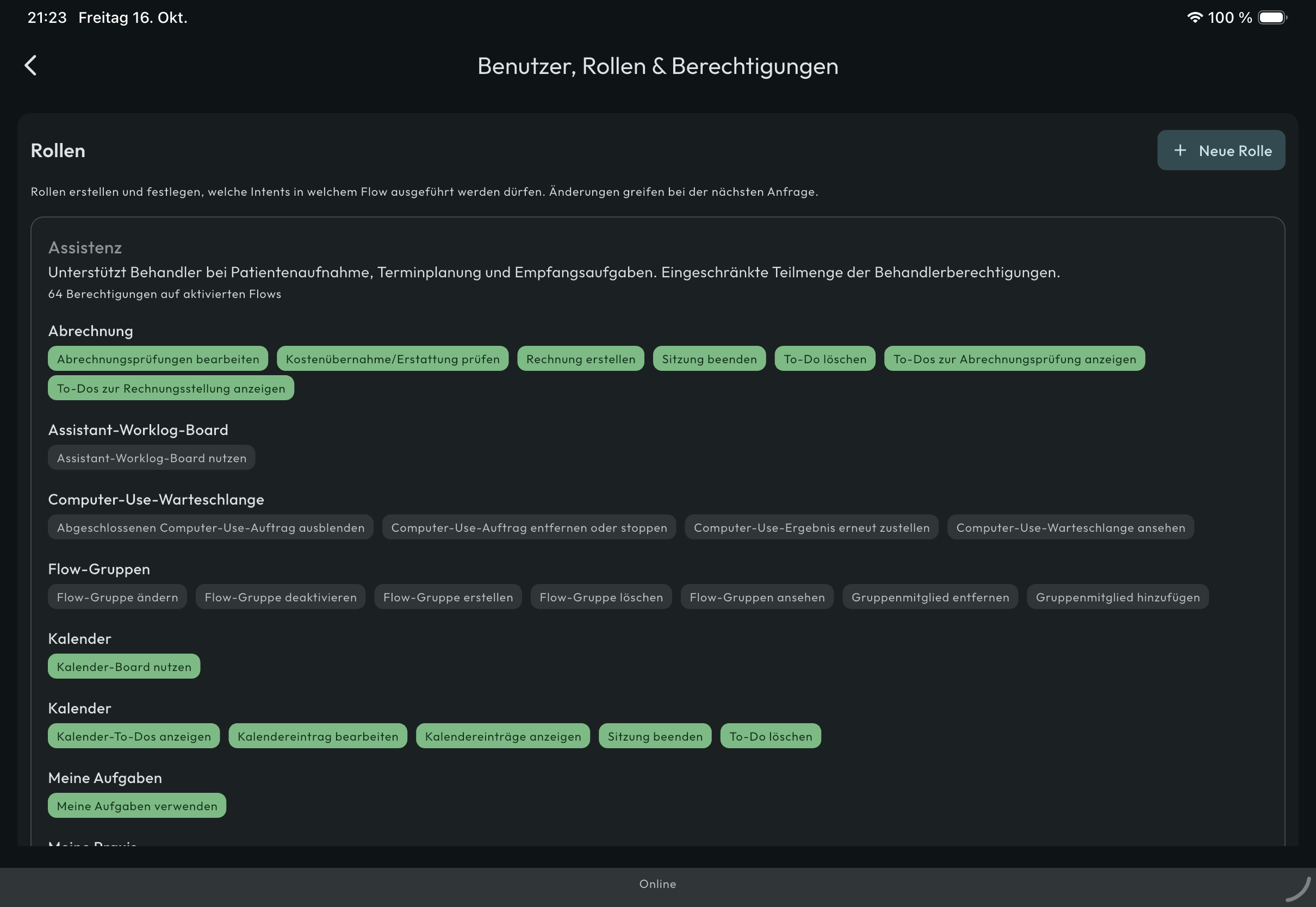
My Day shows each person their appointments, tasks and ongoing work. Roles and permissions control access.
For appointments, I consider staff, rooms, equipment and availability.
After absences or cancellations, I prepare suitable rescheduling proposals. Your team decides and approves.
04
After the conversation
Documented services are compared with maintained billing catalogues, practice guidance and the specific case context.
I prepare billing proposals and follow-up steps. Professional review and approval stay with your team.
I transfer approved results into supported existing software. We agree the available workflows before you start.
This is Pulse
Document patient conversations. Prepare for visits.
The videos show two examples: follow-up work after a conversation and preparation for a patient visit. Product views appear between and after them.
Video · 2:29 minThe conversation ends. The work is prepared.Physician letter · Follow-up · Billing draft
The video could not be played. Please reload the page or use the video link.
Pulse · Video · Auto Finish
One conversation. The next steps taken care of.
See how EfficiU prepares the physician letter, findings report, follow-up appointment, billing draft and patient record after a conversation, guided by individual practice instructions. The conversation and narration are in English. The demonstration is edited for length; results remain subject to professional review.
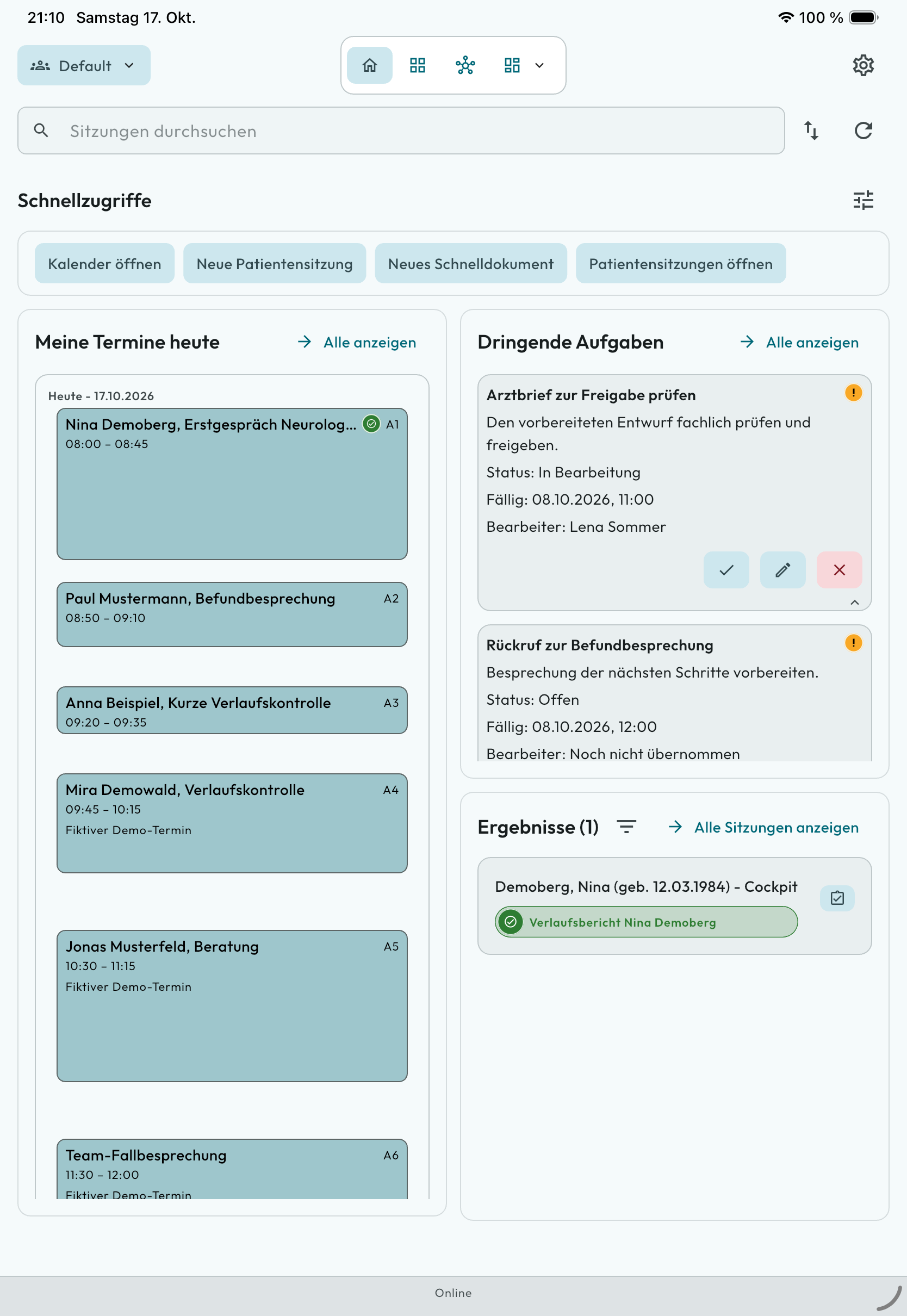
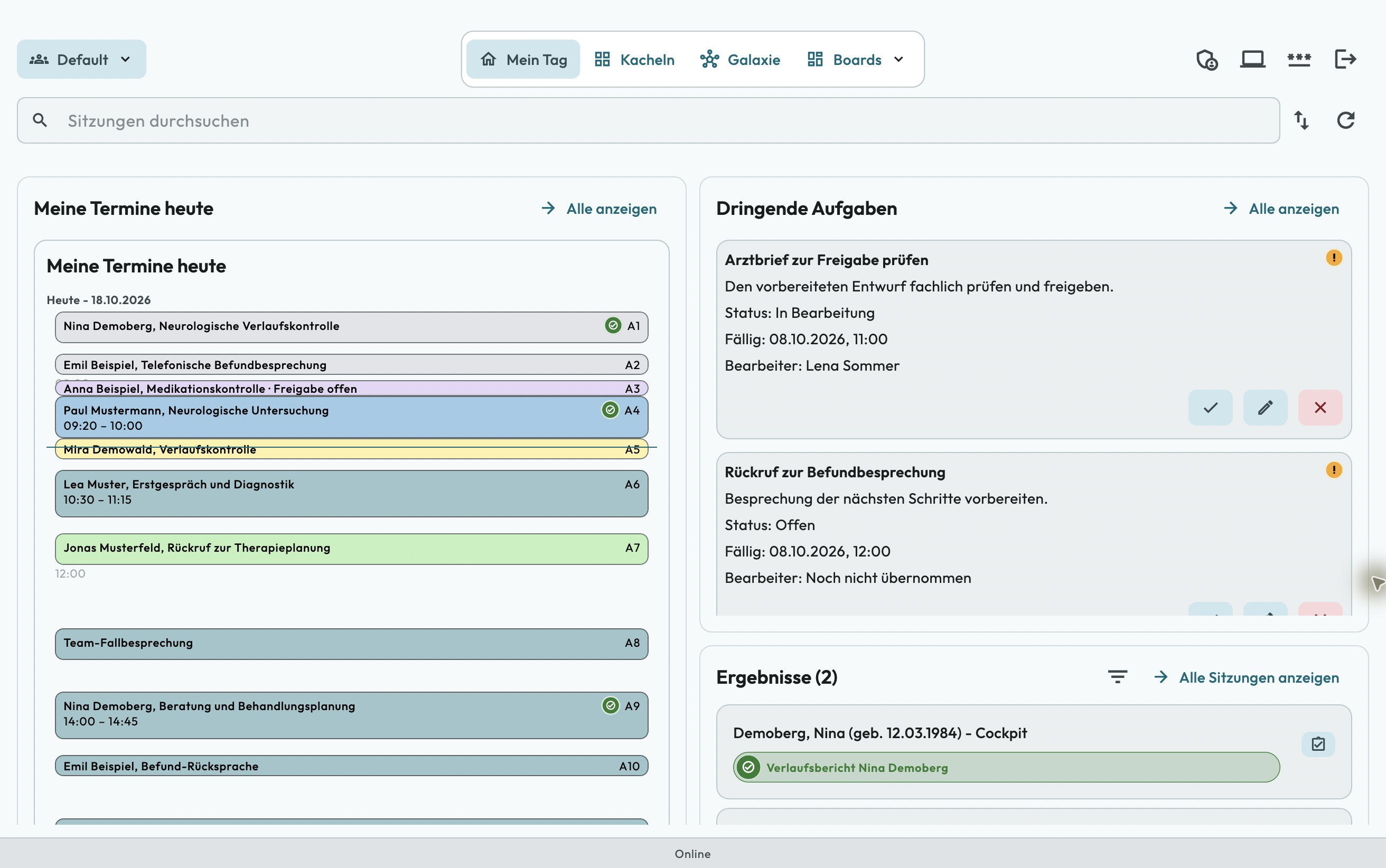
Tasks, today’s appointments and open sessions lead straight to the next action. AI shapes content around your role, context and current step: essentials in view, details when needed. Change your working instructions at any time through conversation.
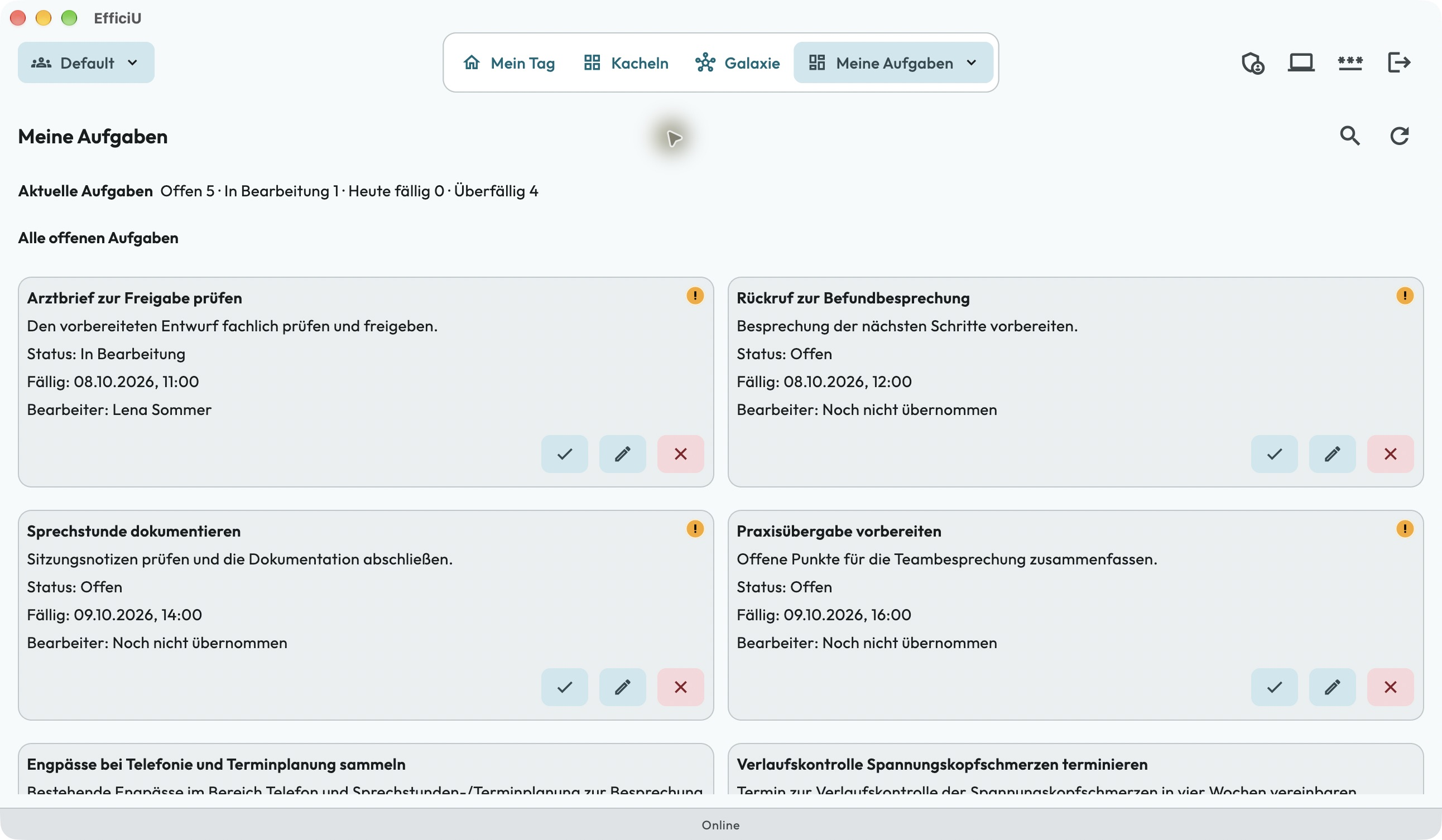
Structured cards separate description, status, due date and assignee. Wide screens show up to two tasks side by side; coloured icons indicate priority. All examples are synthetic.
Video · 2:36 minThe next visit starts before the patient arrives.Booking · Medical history · Rescheduling
The video could not be played. Please reload the page or use the video link.
Pulse · Video · Appointments and onboarding
Ask naturally. Arrive prepared.
Lea books an appointment through a fictional practice’s website. The team sends her a secure link to prepare for the visit. The film shows a medical history chat, checks on uploaded documents, Lea’s patient summary and examples of rescheduling. 2:36 minutes, English narration and optional captions over the German interface. Live product recordings with fictional cases.
The practice team reviews the proposed plan and decides whether to approve it.
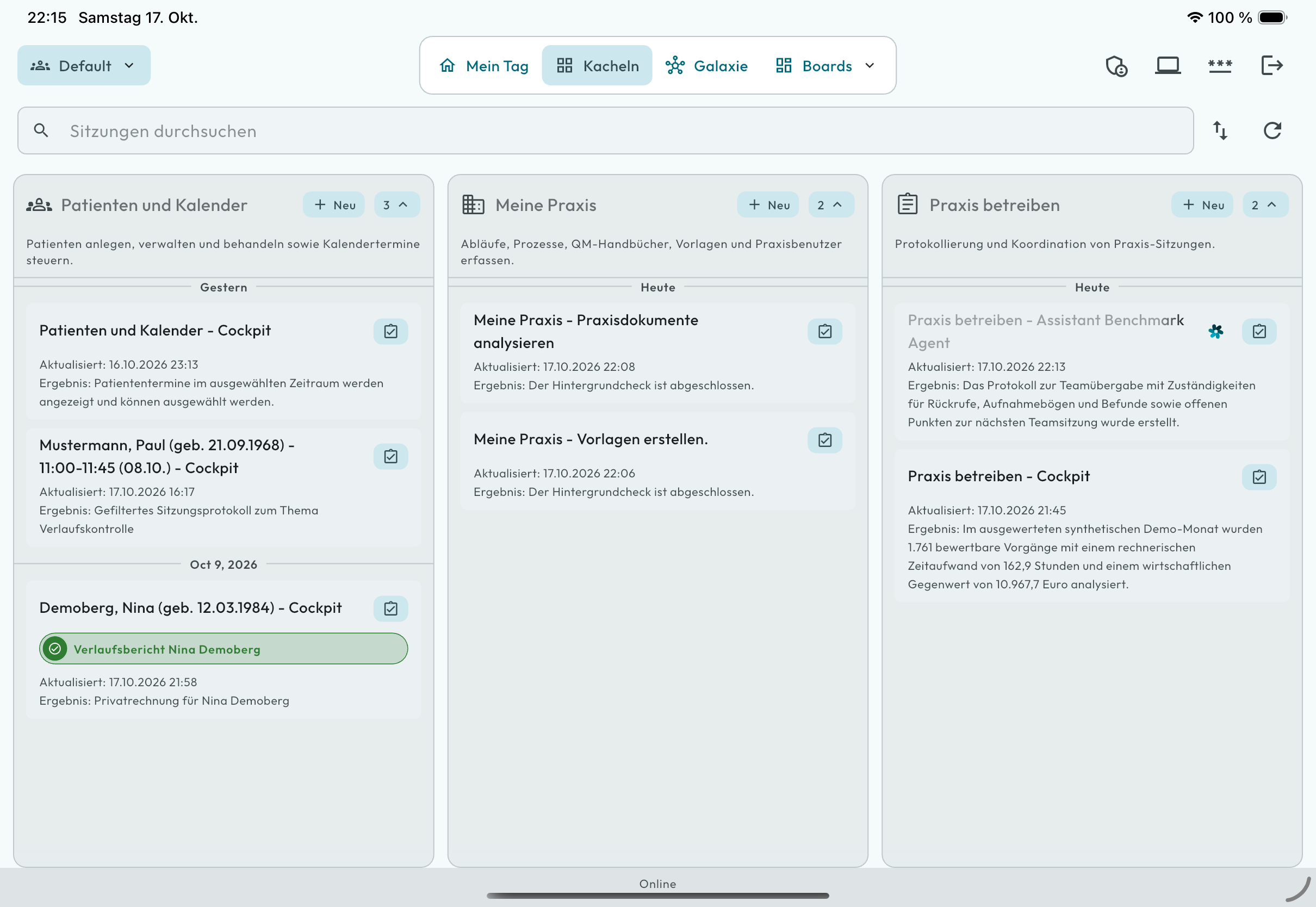
Expanded tiles show several open sessions with their individual context, ready to continue existing work. While EfficiU processes a request, its activity is visible in the list. All cases are synthetic.
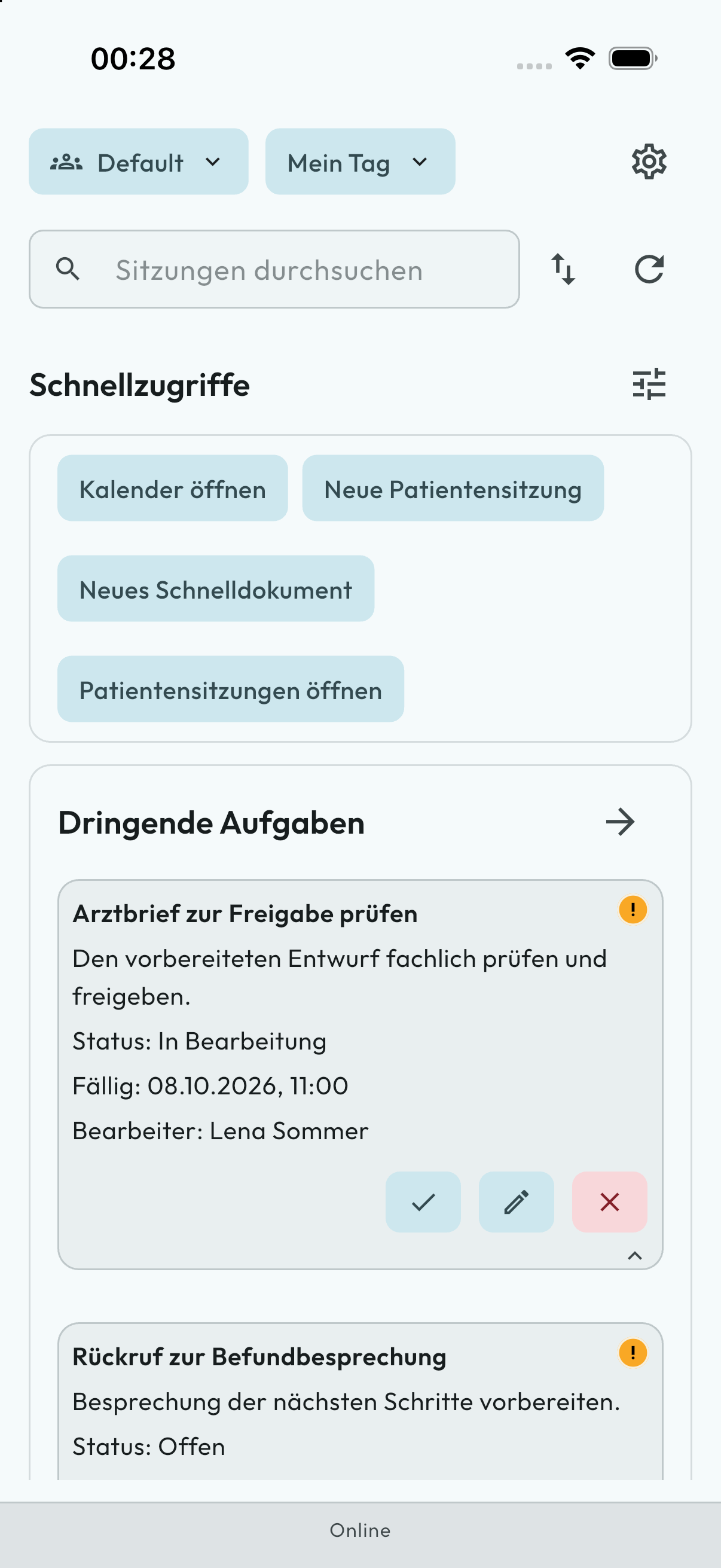
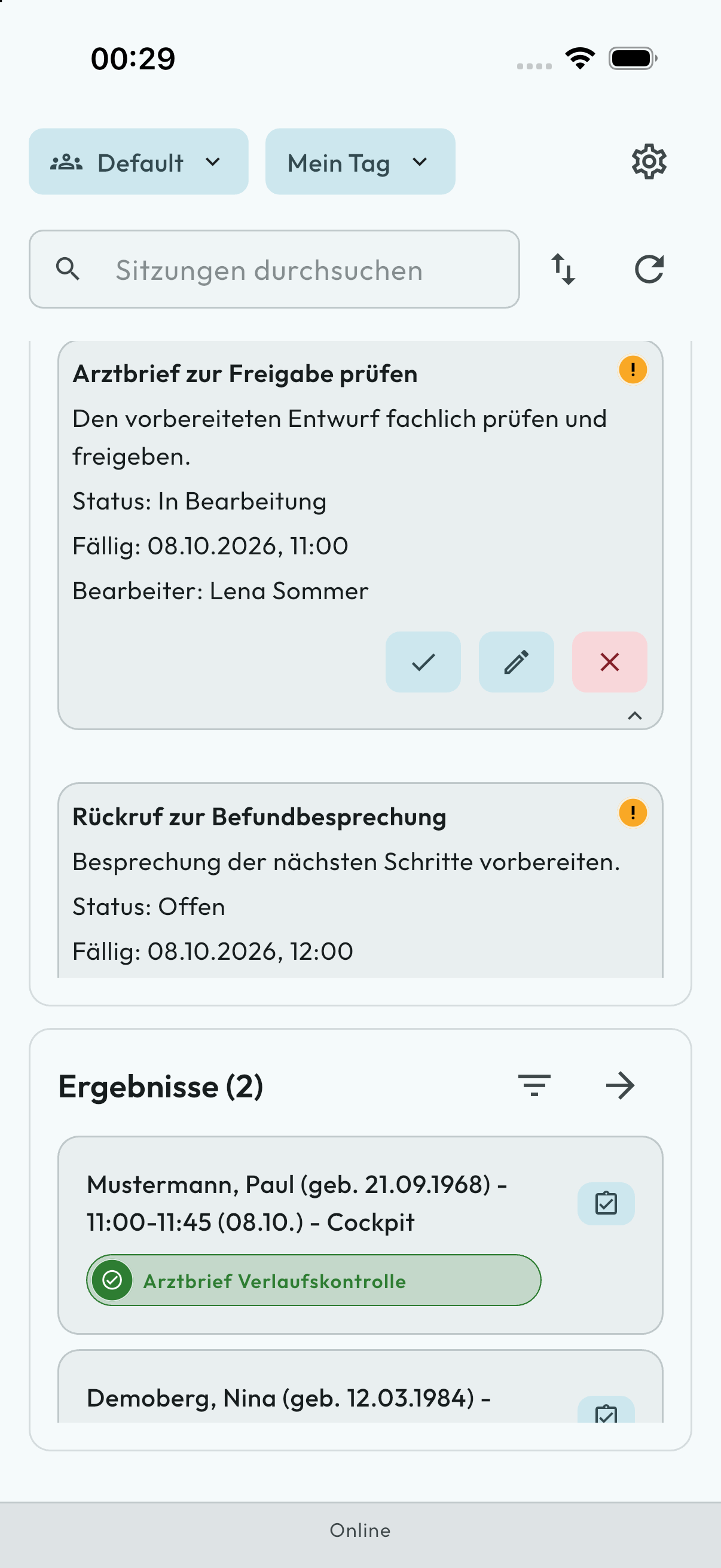
Two real scroll views show shortcuts, clearly structured practice tasks and a complete result update. Open details when needed; all cases are synthetic.
Tasks, today’s appointments and open sessions lead straight to the next action. AI shapes content around your role, context and current step: essentials in view, details when needed. Change your working instructions at any time through conversation.
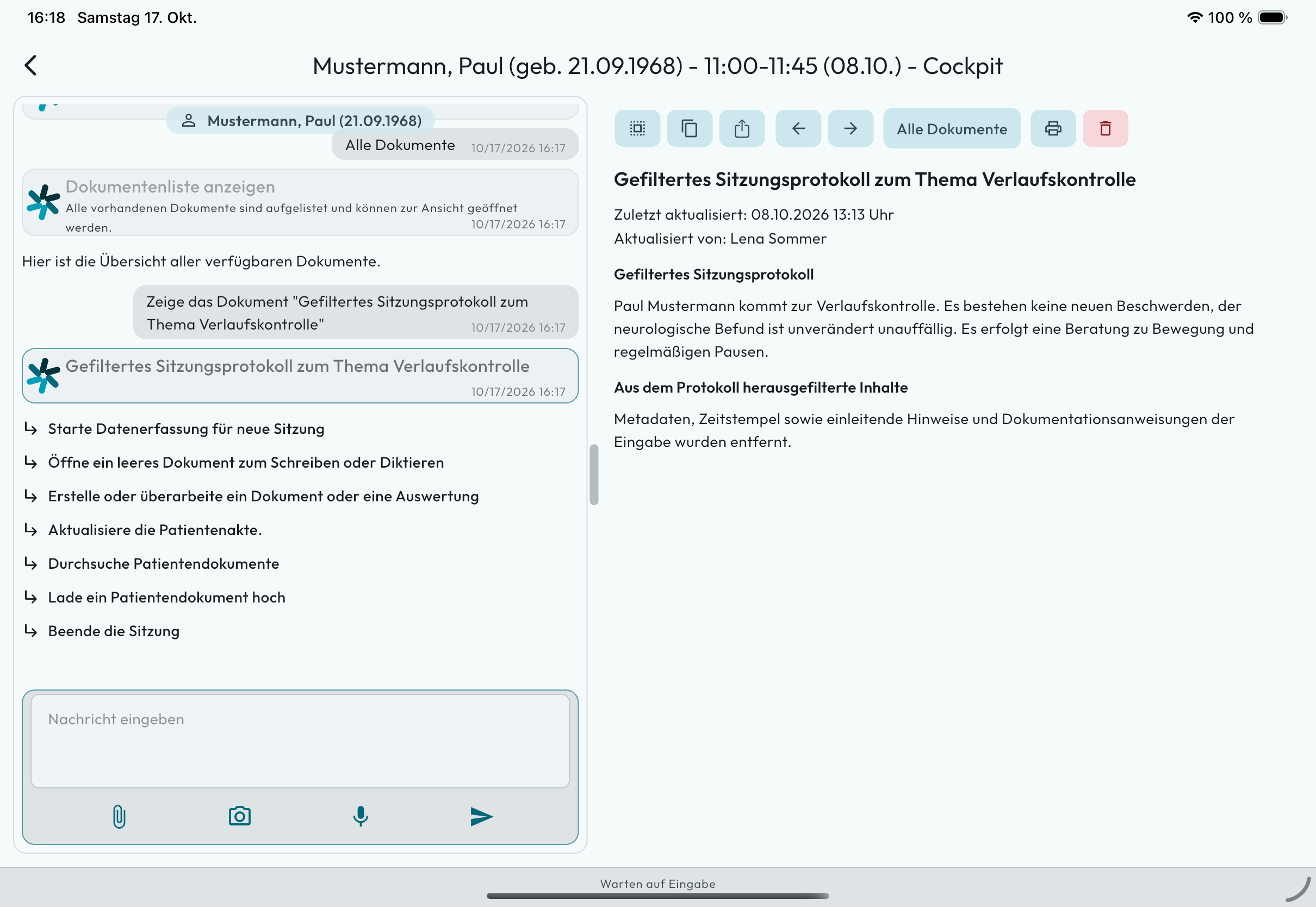
Record the conversation; EfficiU prepares documentation in the background according to your practice instructions. Update those instructions at any time through conversation. The filtered session protocol remains available in patient context for professional review.
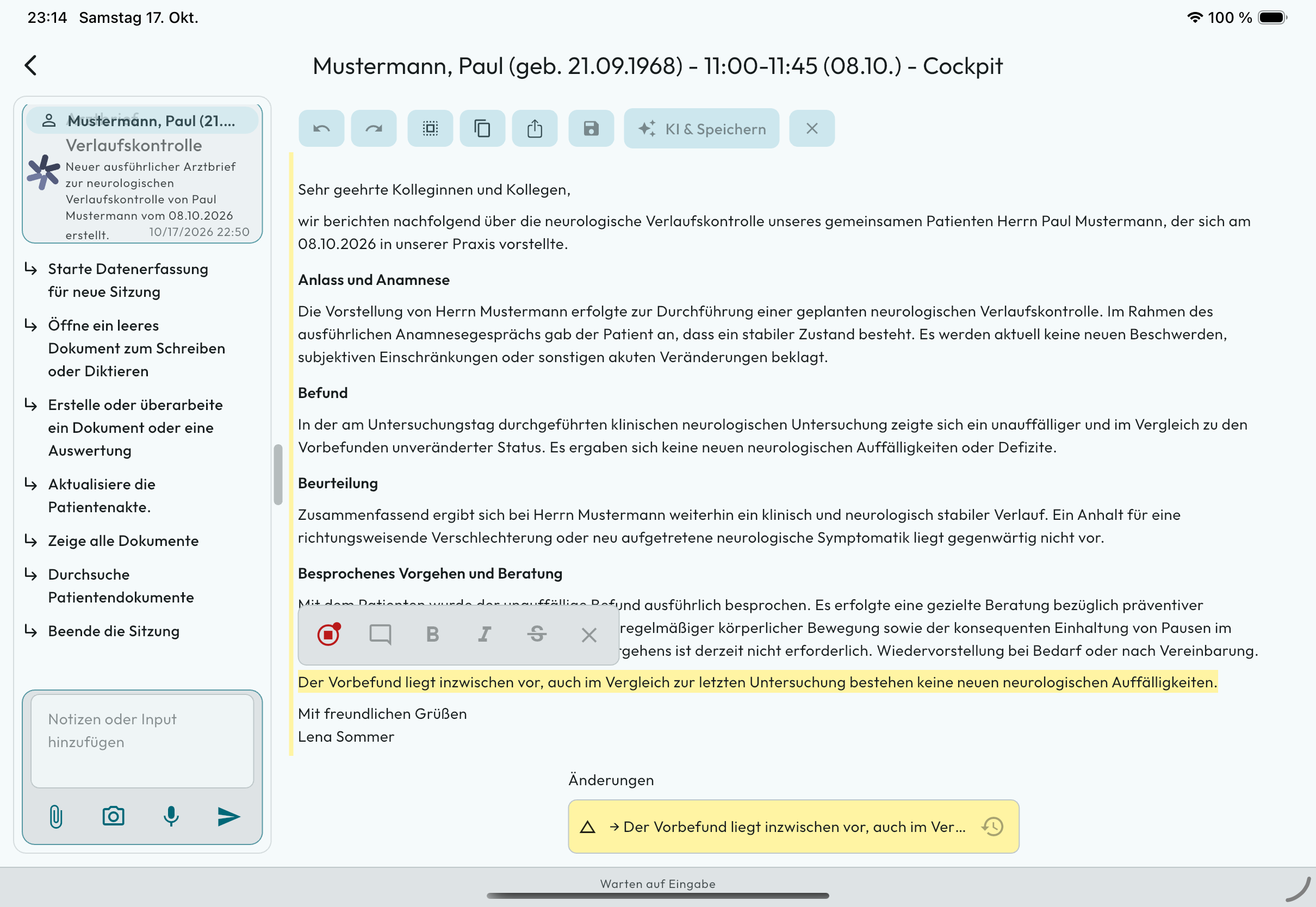
Dictate a later addition straight into the physician letter
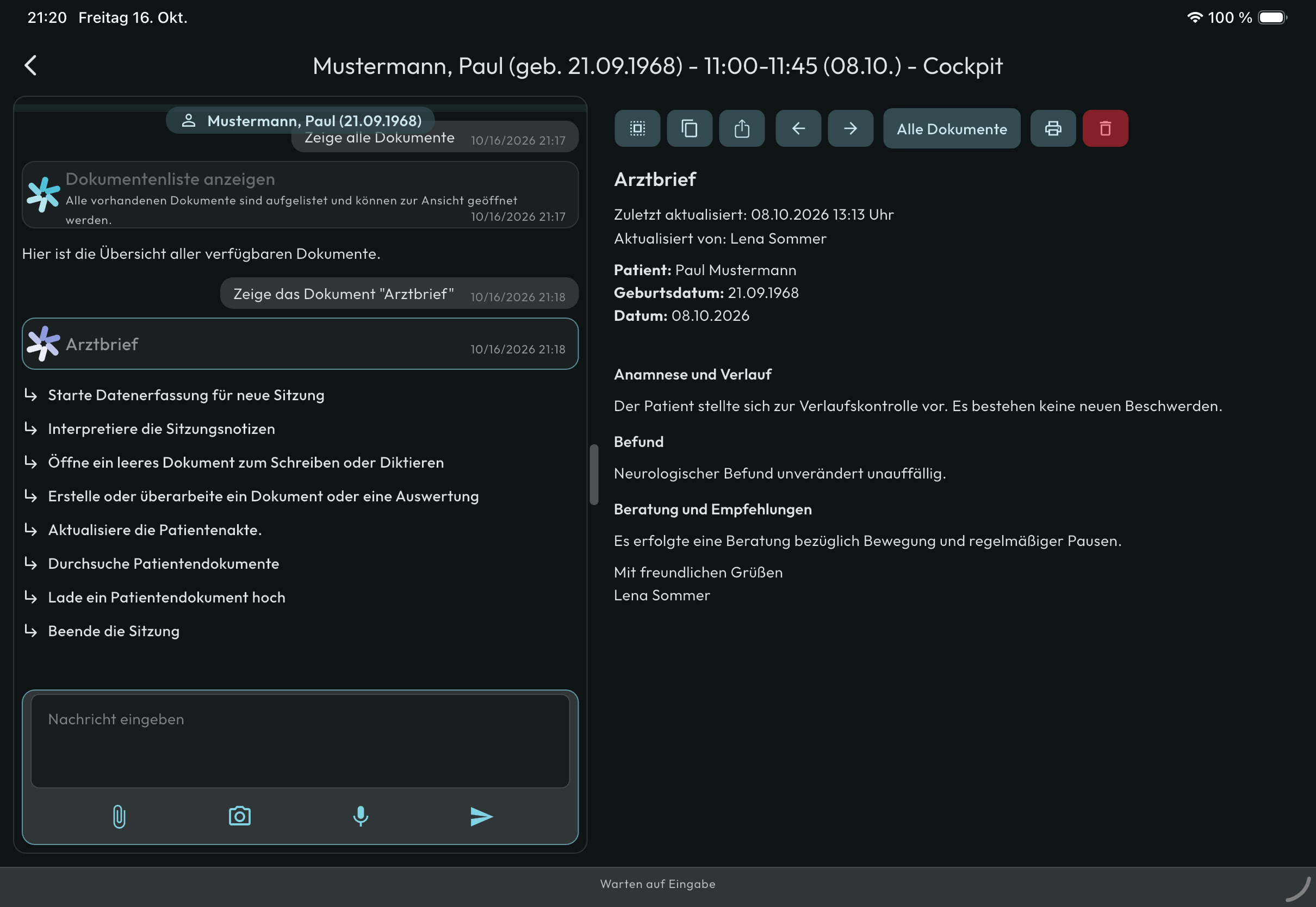
EfficiU creates the physician letter from the conversation and available context. If a clinically relevant addition comes to mind later, dictate it straight into the right place—without typing, even while moving between treatment rooms. This capture shows a complete fictional physician letter with a short later addition and live inline dictation.
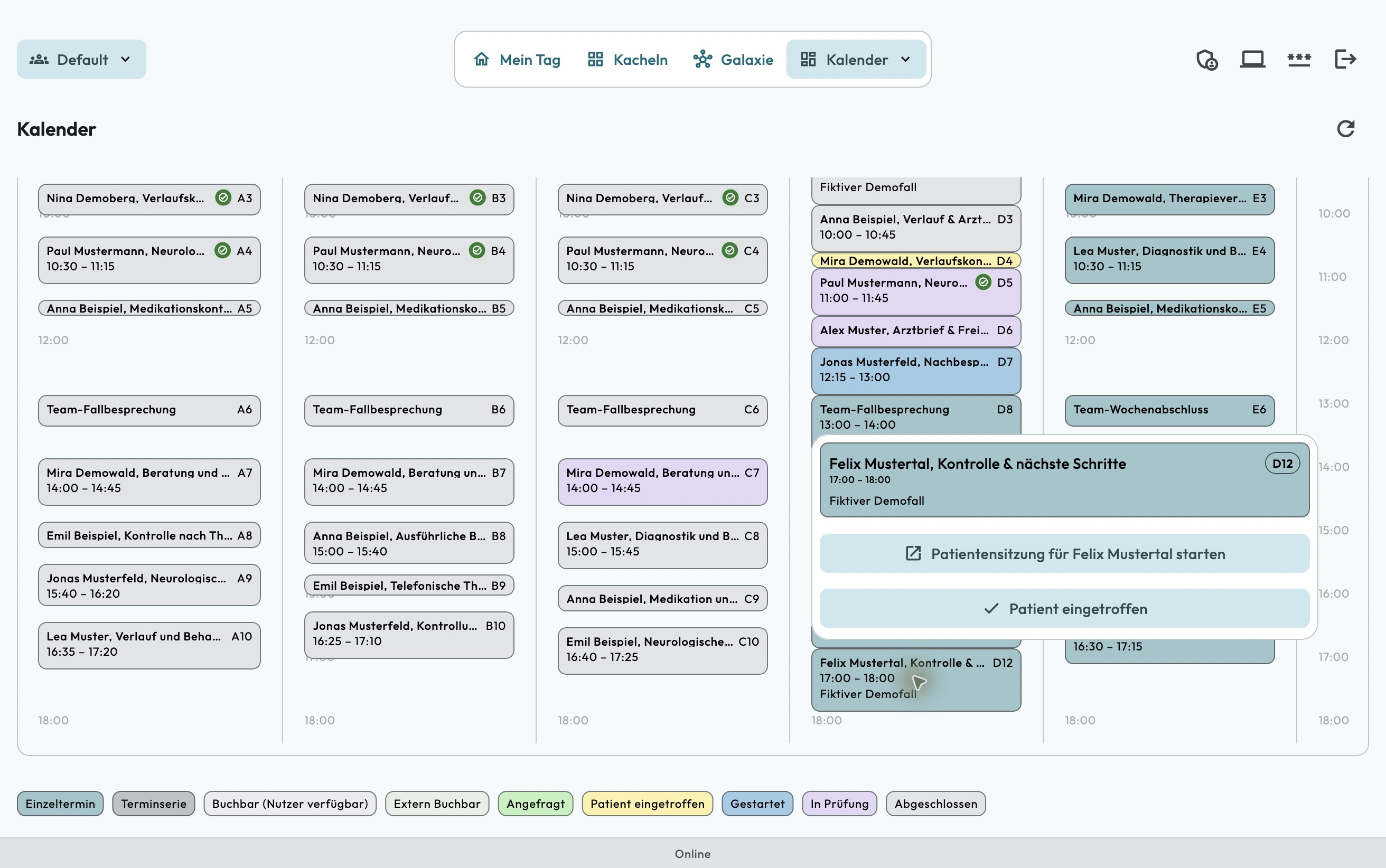
A populated practice week: earlier appointments are mostly complete, with one review outstanding. Each appointment offers relevant actions, such as starting a patient session or confirming arrival. Status colours and the legend provide orientation; appointments can also be changed through conversation. Fictional example week of 5–11 October 2026, scrolled down.
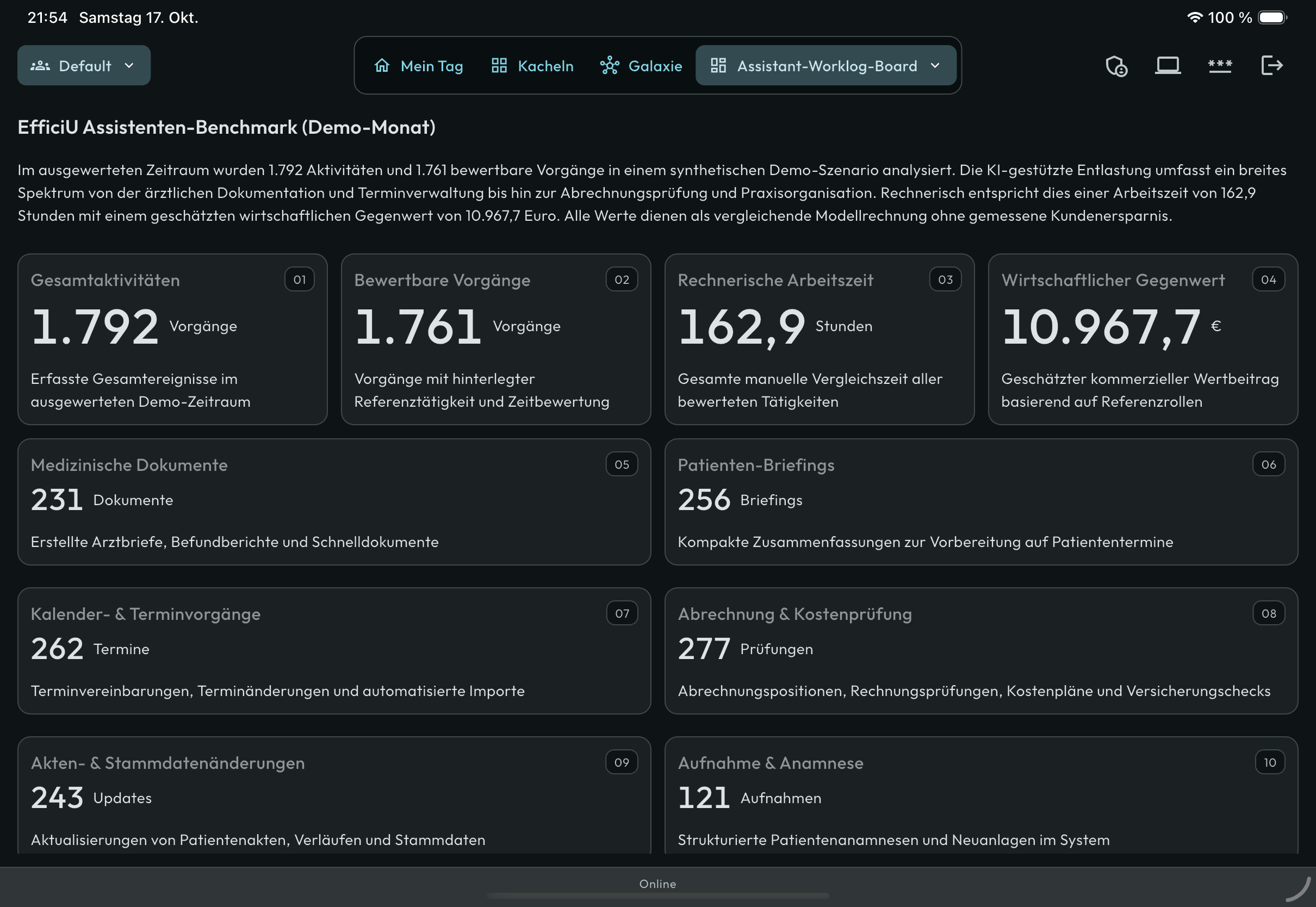
Four large focus values summarise a synthetic demo month. Further metrics span documentation, scheduling and billing through intake, tasks and practice organisation. Time and euro amounts use reference values: estimates, not measured savings or a customer invoice.
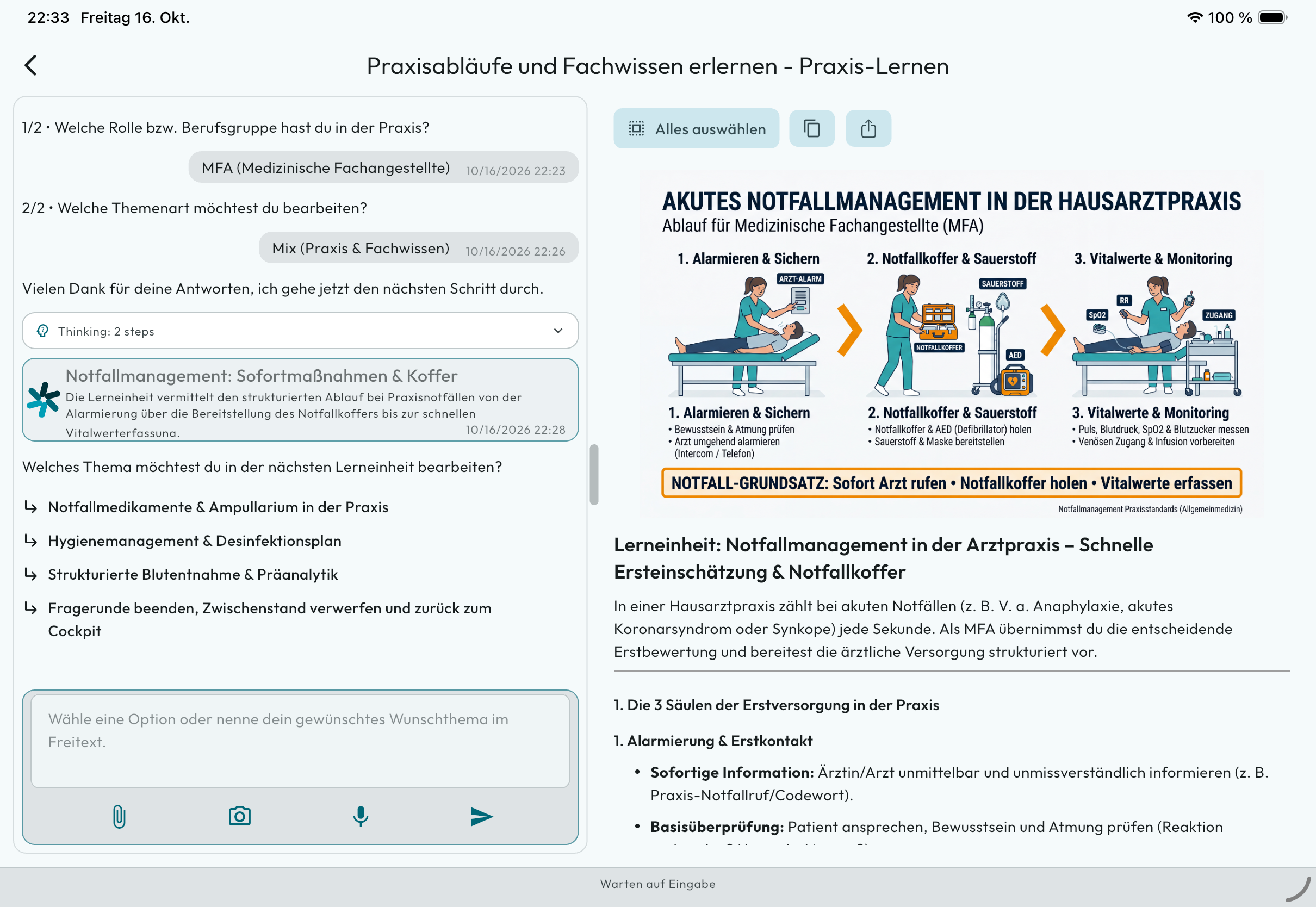
The open learning unit covers practice emergency management: immediate measures and the emergency kit, with a product-generated illustration and follow-up topics.
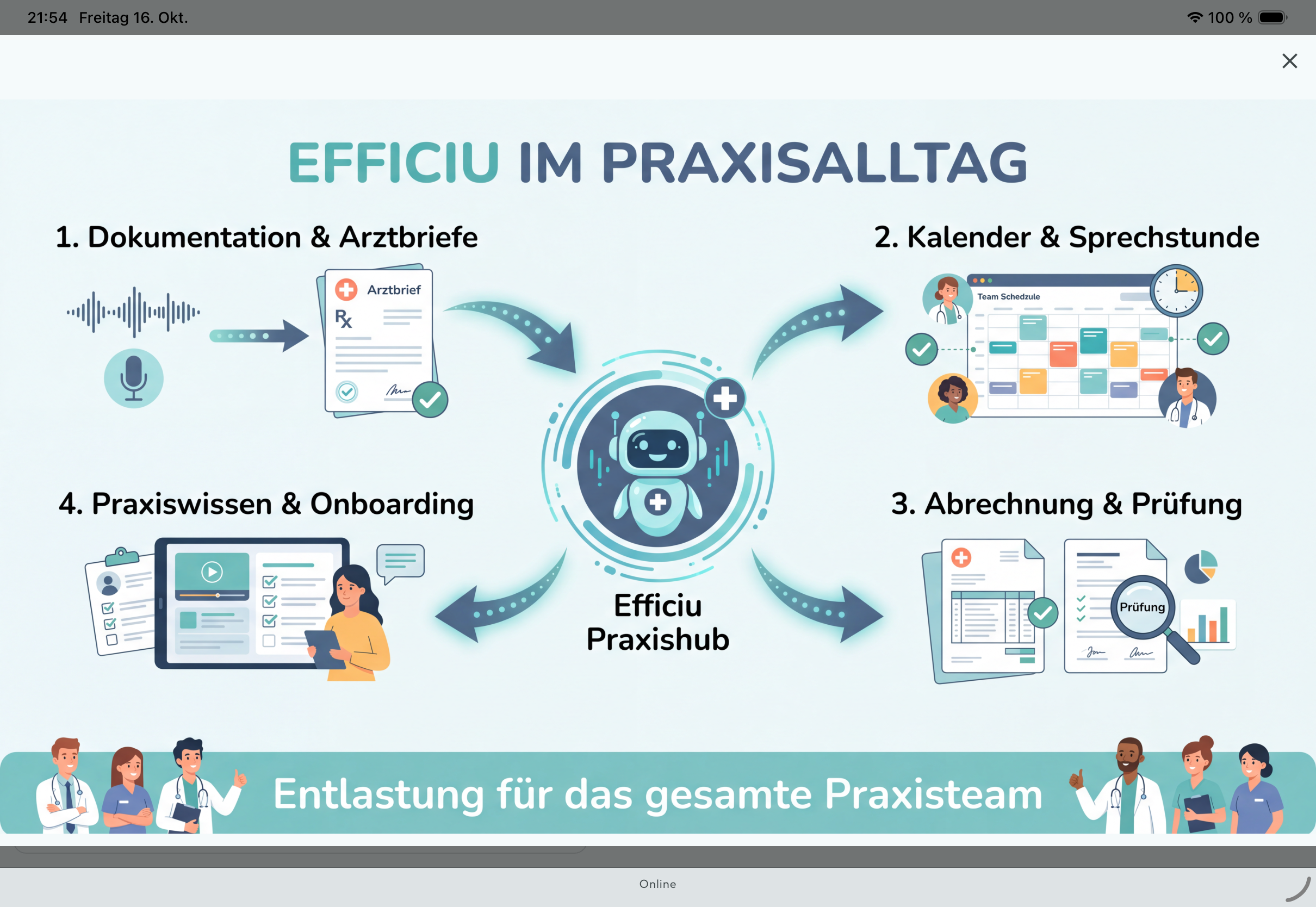
“What I can do” illustrates areas of practice work in a product-generated overview. The illustration is not certification or a completed billing check.
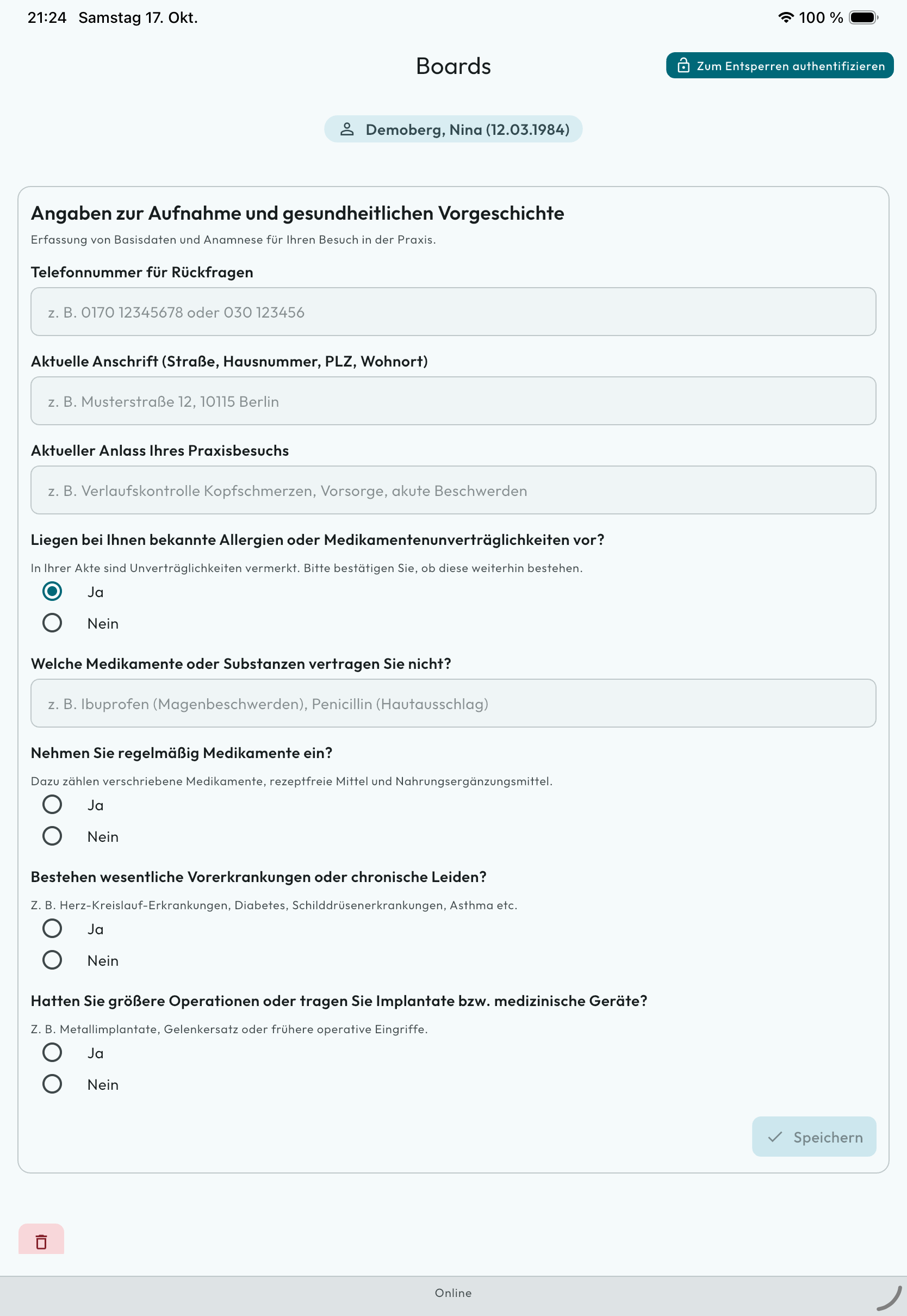
The prepared intake form collects contact details, insurance status and anamnesis in protected patient mode. The team receives structured information instead of transcribing paper notes.
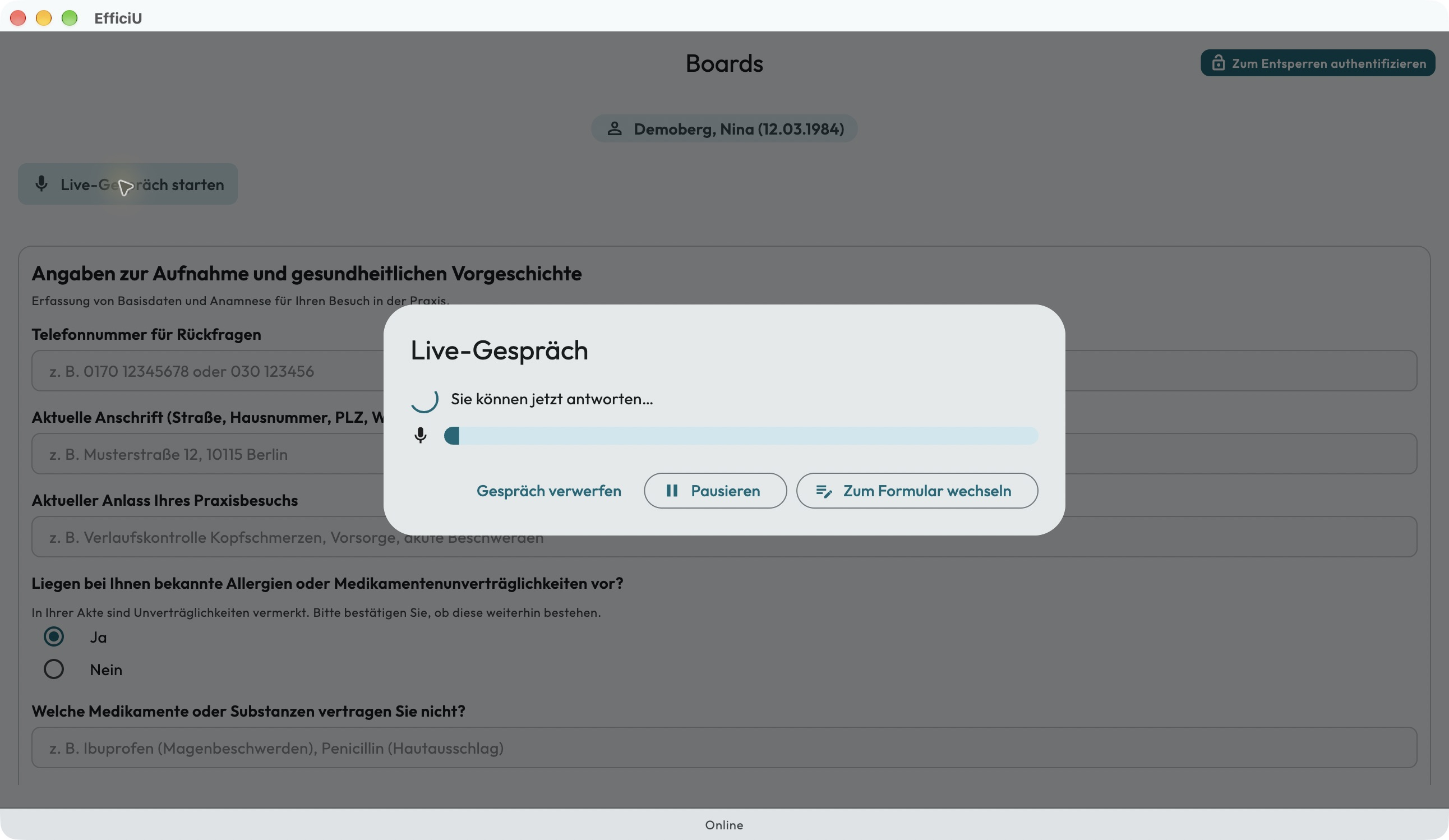
The prepared live conversation is waiting for answers. The Mac app shows microphone status and offers pause or a switch to the form. Professional review of subsequent information remains with the practice team.
The physician letter is created in the patient session’s context. Through agreed integrations, needed data can be brought in from existing practice software for each case and approved results transferred back—step by step within your workflow, without a large one-off switch.
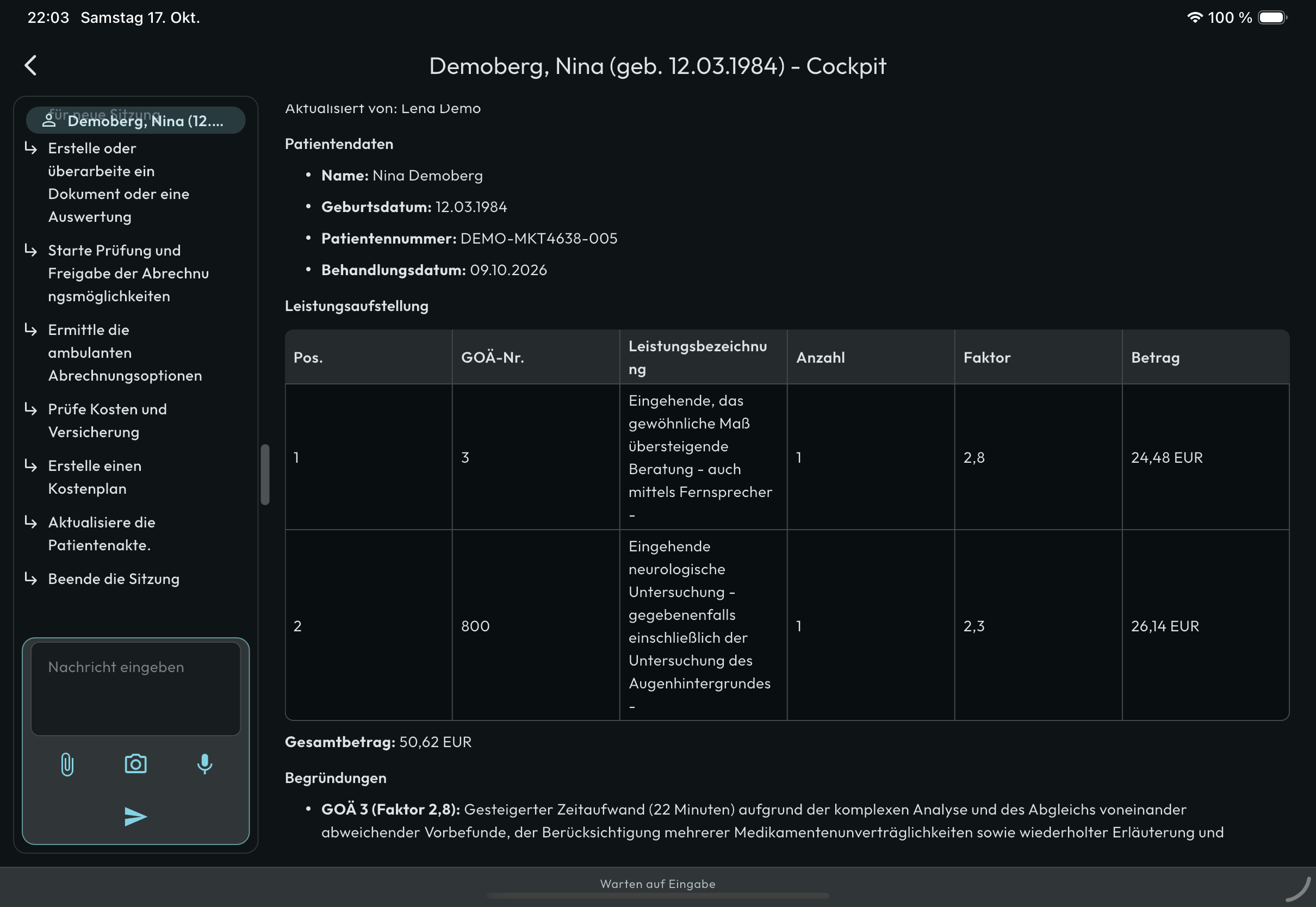
Maintained billing knowledge and your practice instructions support drafting. This view shows a GOÄ demo invoice from entered fictional items, factors and justifications. Professional review and approval remain with the treatment team.
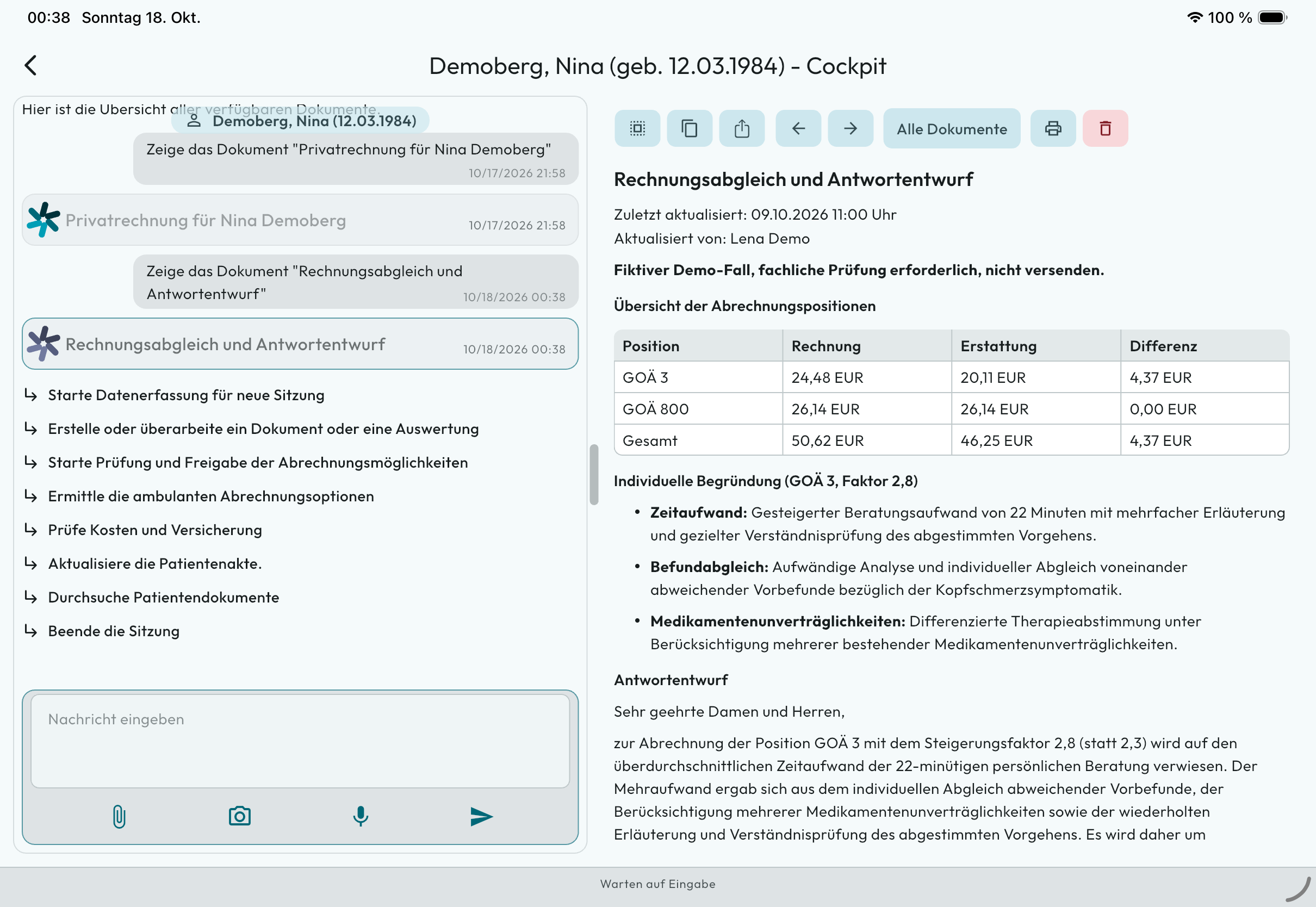
Understand and respond to reimbursement differences
From entered fictional invoice and reimbursement amounts, including the supplied difference, EfficiU drafts a comparison and reply. This demonstrates document generation, not a verified insurer reconciliation. Review and sending remain with you.
All case, patient and medical details are fictional demo data. The images show no real patient cases.
Pricing
Pay for results. No base fee.
Free trial: we agree its duration and scope in advance. Paid use starts only under a separate agreement.
You pay for generated clinical documents and patient-session documentation. Before you start, we agree a reference value based on work effort and hourly rate. This value is the basis for pricing, not a measurement of time saved.
€0
No minimum spend
No base fee and no minimum commitment. Without agreed chargeable outputs, no output-based monthly fee is due.
15–20%
EfficiU participation
The achieved volume rate applies to the entire billing month, not just the portion above a threshold.
Calculation example and all volume tiers
One document. One understandable charge.
Example: 10 minutes agreed reference effort × €180 physician hourly value ÷ 60 × 20% = €6 net per generated document. Reference time and role value are agreed before launch; applicable taxes are added.
Volume rate by monthly reference hours
Monthly reference effort
EfficiU share
Up to and including 80 hours
20%
Over 80 up to and including 160 hours
19%
Over 160 up to and including 240 hours
18%
Over 240 up to and including 320 hours
17%
Over 320 up to and including 400 hours
16%
Over 400 hours
15%
Your monthly invoice shows chargeable outputs, quantities, reference times, role values and the achieved rate. Calendars, knowledge support and other supporting capabilities are not automatically invoice items. Individual agreements take precedence.
We set up EfficiU together with your team.
Request access & confirm your email
Tell us which routine in your practice should become easier. The confirmation link verifies your email address; it does not activate product access.
Agree scope, pricing & privacy
We personally discuss users, templates and initial workflows. Scope, billing and required data-protection agreements are clarified before launch.
Set up, activate & start with support
We set up access with your templates. After you accept the agreed contract terms, we activate your organisation’s access and help your team get started.
Yes. Selected import and transfer workflows, for example with tomedo, let your team keep using its existing software. We confirm the supported steps for your setup before you start.
Where is our patient data stored?
EfficiU provides controlled Google Cloud and approved Google AI services, access controls and traceable data paths that support privacy-conscious operation. Whether a specific deployment meets all legal requirements also depends on the controller's configuration, agreements and organisational measures. Our Privacy Notice explains the relevant processing locations, roles and safeguards; a data processing agreement (DPA) is available on request.
Can the whole practice team use EfficiU?
Pulse supports authorised users in your organisation. Pricing is based on agreed chargeable documents, not the number of users. We agree user roles and suitable workflows during onboarding.
Who is behind EfficiU?
NovaSubito GmbH develops and operates EfficiU. Meet our leadership, team and external specialists on the home page.