EfficiU turns conversations, notes and files into reviewable documents, tasks and next steps. Pulse for practices and clinics. Sessions for coaching, therapy and your personal conversation work.
Privacy-consciousBuilt for teams and individualsAI-first with Google Cloud & Gemini
Conceptual illustration: connected work for a clinic team. Not a product screenshot.
Two product variants
The right depth for the way you work.
Both variants share the same idea: less administration, more attention for people. Their scope is deliberately different.
PulsePractices & clinics
The AI operating layer for the whole organisation.
Pulse coordinates patients, appointments, documents, billing and practice knowledge across roles, locations and devices — while your established systems remain in place.
From solo practice to multi-site clinic
Roles, groups and fine-grained permissions
EfficiU transfers approved results without copy-paste in supported software workflows.
Sessions listens with permission, structures the important content and prepares useful documentation — without turning a personal conversation into another software project.
For therapists, coaches and other independent professionals
Capture, shape in your own style, reuse: EfficiU connects the steps rather than just generating text.
Describe the workflow
Explain the goal in your own words. EfficiU translates it into coordinated steps.
Flexible dialogue, precise result
Questions remain natural; outputs follow the structures and templates you define.
The right app for your working day
Use the appropriate native app on iOS, macOS or Windows with your configured organisation account.
This is how I look and help you
A clear view of the work that matters now.
These shared views show the interaction model behind Pulse and Sessions. Product-specific workflows follow on their own pages.
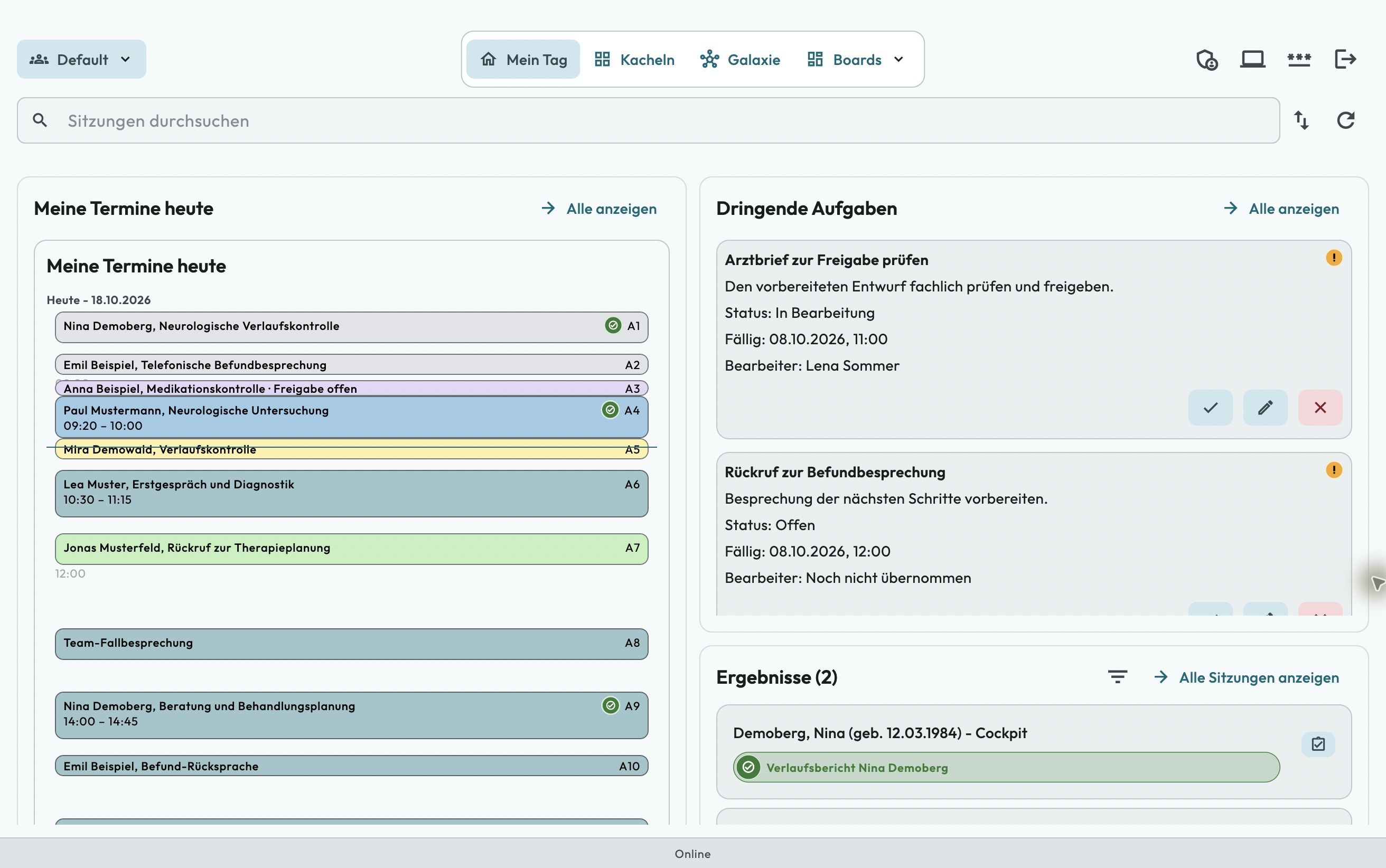
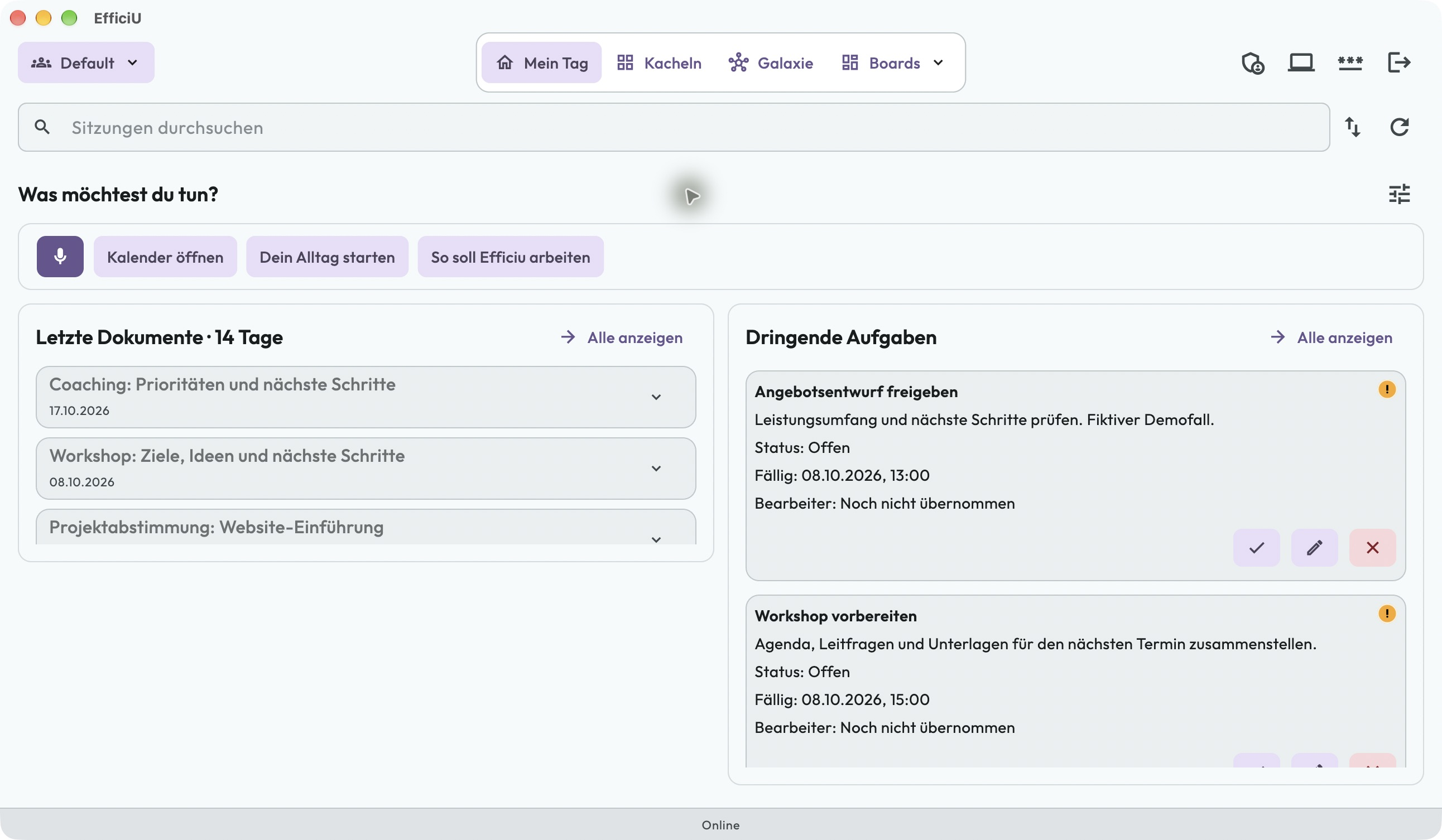
Pulse · Mac · My Day
My Day: start clearly, move work forward
Tasks, today’s appointments and open sessions lead straight to the next action. AI shapes content around your role, context and current step: essentials in view, details when needed. Change your working instructions at any time through conversation.
The microphone shortcut comes first, alongside personal notes, recent documents and tasks. AI-driven content adapts to your context and working instructions, keeping what matters now in the foreground.
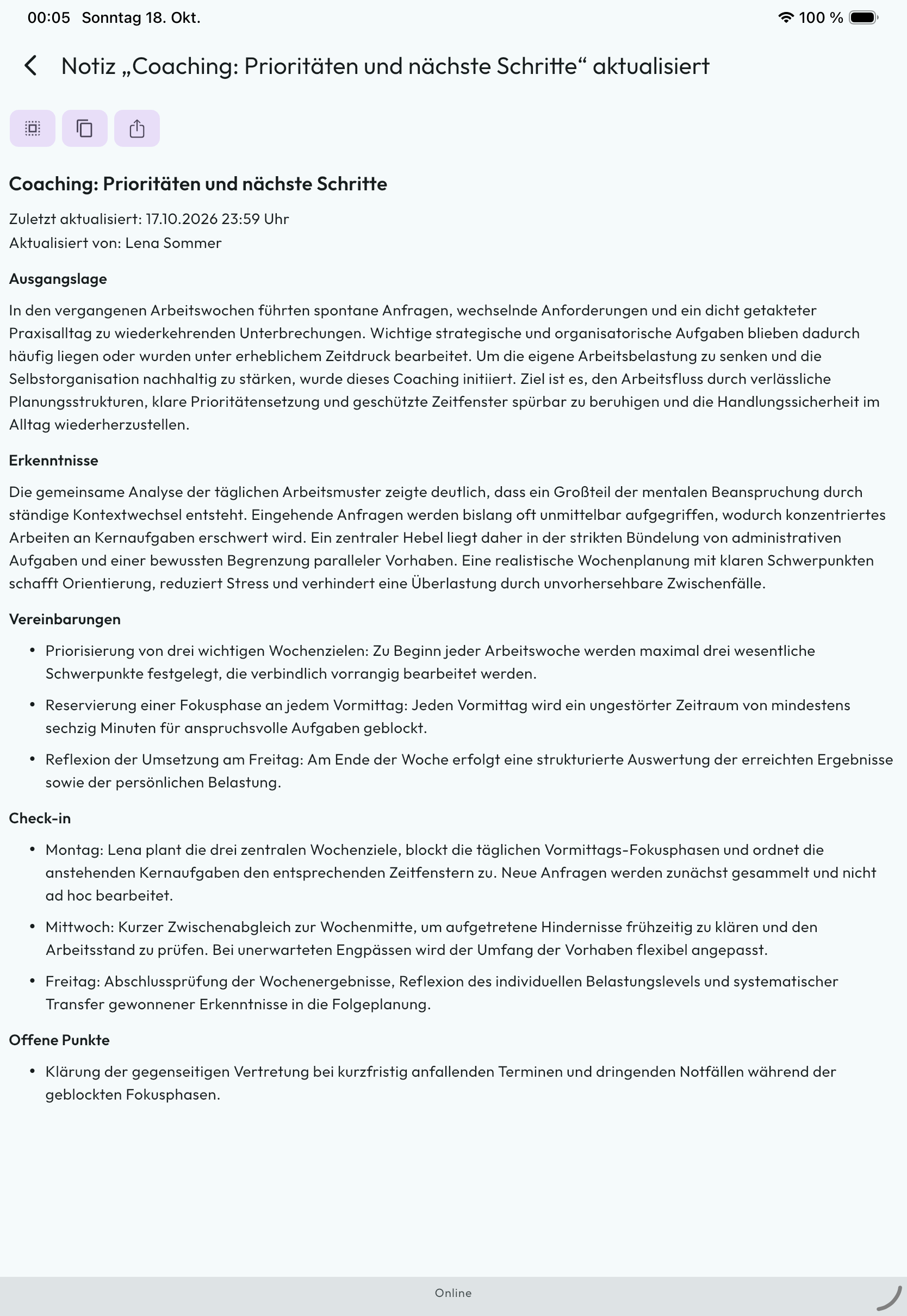
The saved note structures priorities, focus time and next steps. Review the content and use the available copy and reuse actions. The displayed coaching example is entirely synthetic.
All case, patient and medical details are fictional demo data. The images show no real patient cases.
The company behind EfficiU
A product of NovaSubito GmbH.
NovaSubito develops and operates EfficiU as a German AI software company. Meet the company and the people behind the product on the NovaSubito website.
No unattended instant sign-up: we guide your organisation from the first conversation to productive use.
Request access & confirm your email
Choose Pulse or Sessions and describe your goal without sensitive data. The confirmation link verifies your contact address, not product access.
Agree scope, pricing & privacy
We personally discuss users, templates and initial workflows. Scope, billing and required data-protection agreements are clarified before launch.
Set up, activate & start with support
We set up your tenant and agree the applicable contract terms with you. You expressly accept those terms before your organisation owner account is activated. Authorised users then receive access and start with the appropriate app, assisted by us or your implementation partner.
Native apps for your working day
Download Windows and macOS directly from us. We clarify the current iOS distribution route during onboarding. All apps connect to your configured tenant; downloading alone does not create access.